Web app · AI
PPFCheck
A guided web app for anyone acting for someone in prison: it explains prison letters in plain English, searches the official prison policy frameworks, and helps write complaints and replies to check and send on their behalf.
- Built for
- People acting for someone in prison
- Policy library
- 111 official documents
- Status
- Early version
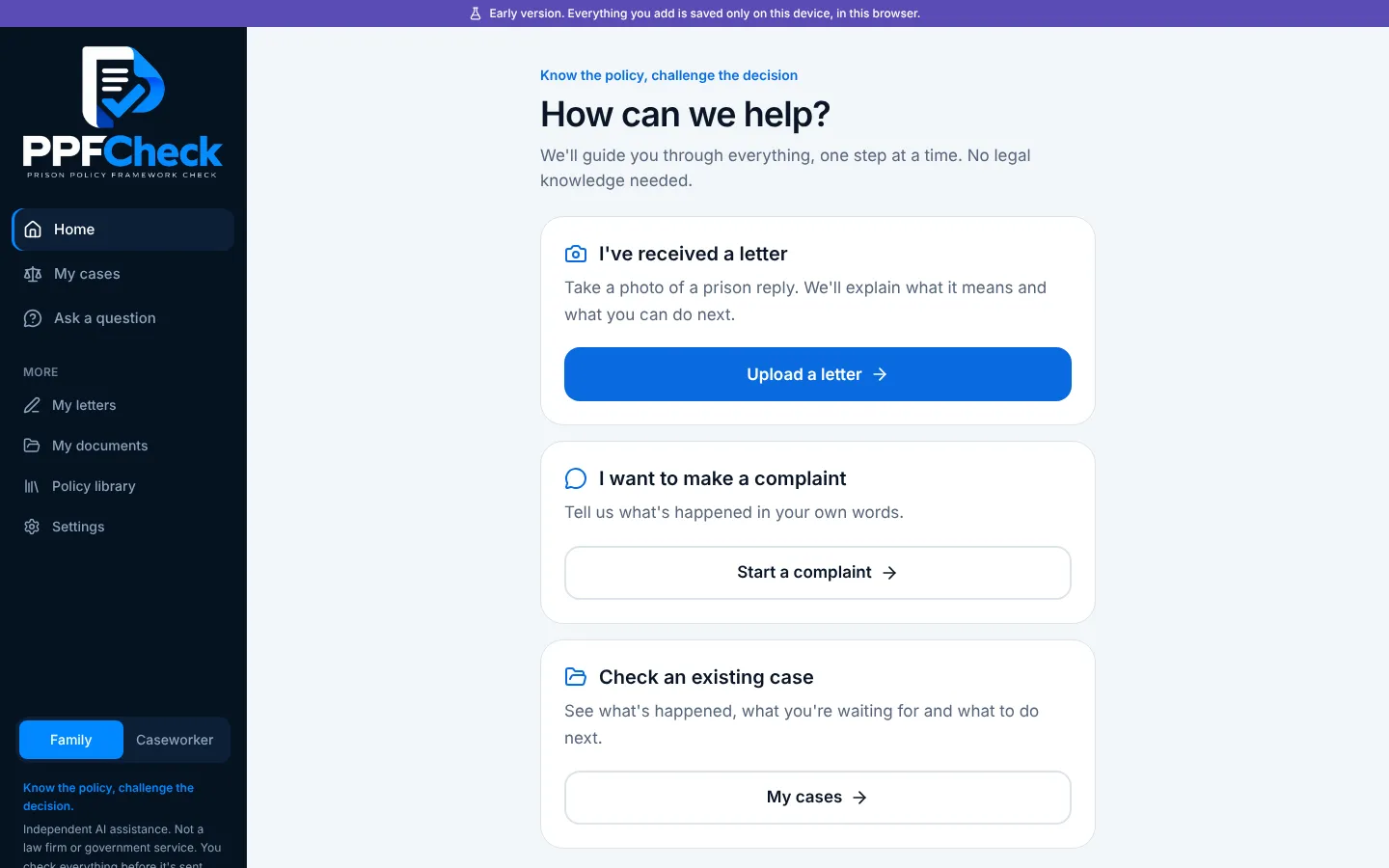
Problem
Prison letters are hard to read and harder to challenge
People in prison get letters that matter: replies to complaints, categorisation decisions, hearing outcomes. Working through them from inside is hard. The letters are full of jargon and form numbers, it's rarely clear whether the prison followed its own rules, and there's little access to the rules themselves.
The rules do exist, in the official prison and probation policy frameworks, but they run to thousands of numbered paragraphs. The brief was a tool that lets the people acting for someone in prison, whether family, friends or a representative, help them with it: usable on a phone, with no legal knowledge, and pointing to the actual wording rather than guessing.
What it does
AI that explains, searches and drafts, with a person in charge
The AI runs on the server, so no keys or prompts reach the browser. It does the reading and the first draft; the person using it decides what's true and what gets sent.
Explains a letter
Photograph, upload or paste a prison reply. The text is read on the phone, then the AI explains in plain English what was decided, why, and what information is missing.
Finds the rules that apply
The AI plans its own searches of the policy library, turning everyday words into the official terms the frameworks use, then shows the actual paragraphs.
Drafts replies and complaints
A reply to a decision, a new complaint, or one of 12 letter types, written from the case history. Each letter keeps its versions and must be approved before it becomes a PDF.
Answers questions
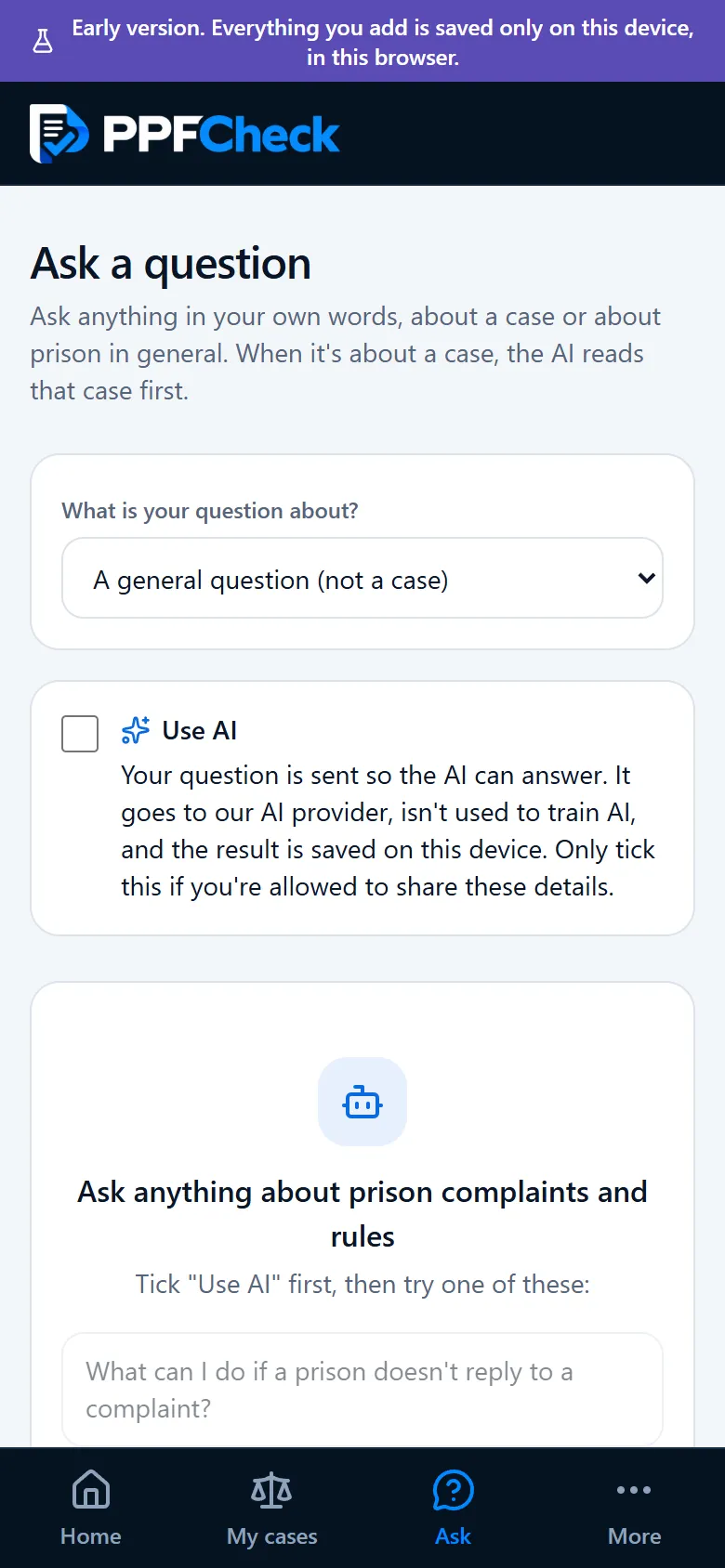
Ask anything in your own words, about prison in general or about one case, which the AI reads first. Nothing goes to the AI until you tick to allow it.
Checks its own answers
Before anything is shown, code checks the AI: quotes must really be in the letter, points with no evidence are toned down, and it can only cite paragraphs that exist.
One case or many
A simple, step-by-step side for helping one person, and a fuller workspace for handling several cases at once, with a caseload, deadlines and replies to review.
A worked example
One case, from first complaint to the ombudsman
Everything here is made up: the prison, the person and both replies, which were written to fall short of the rules. The checks, rules and letters are what PPFCheck produced from them.
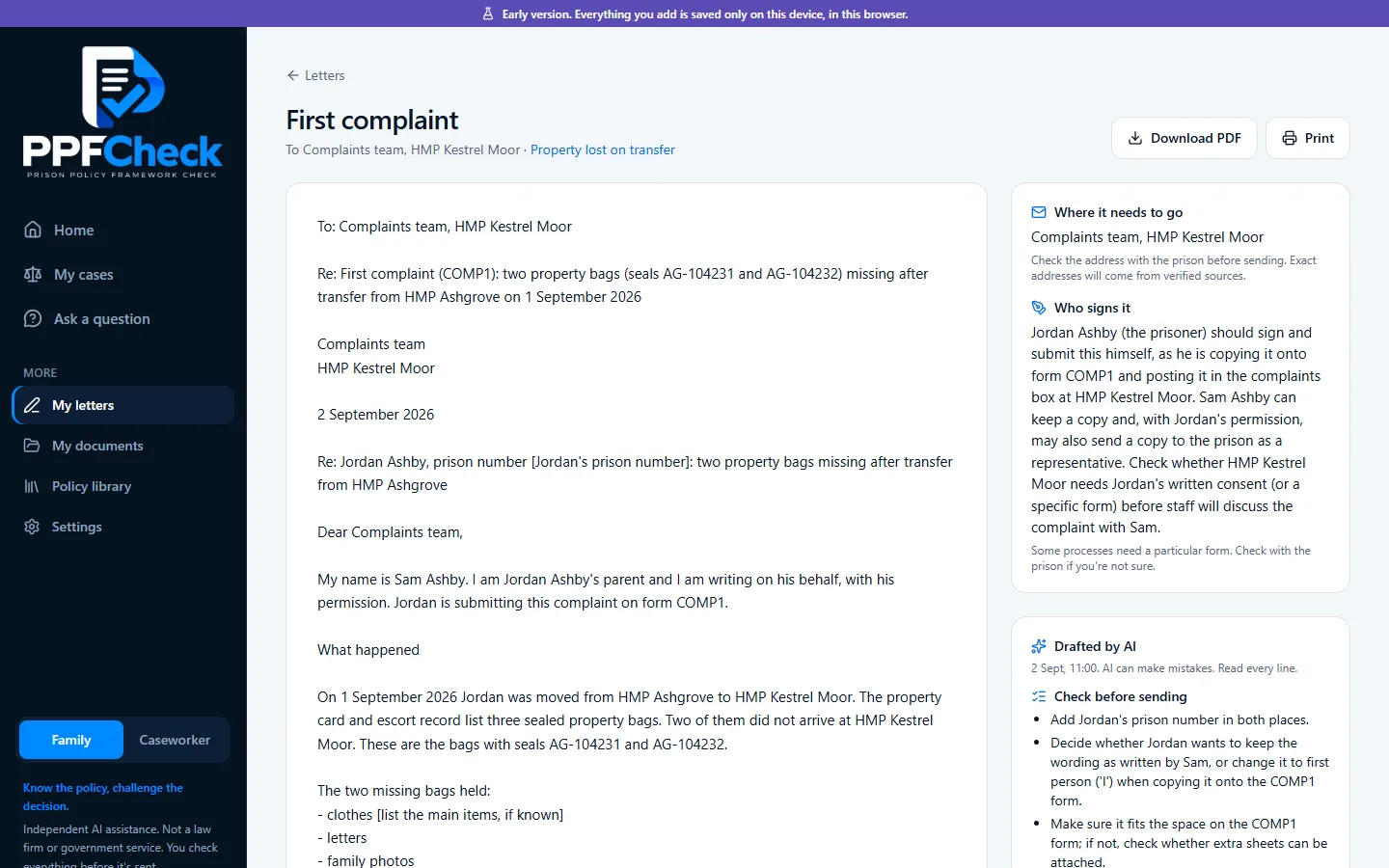
The first complaint
Two sealed property bags go missing when Jordan is moved between prisons. From the case details, PPFCheck writes the first complaint for Jordan to copy onto the prison form, and says who signs it and what to check first.
Two poor replies
The first reply arrives two weeks later, says property is the prisoner's own responsibility and tells him to take it up with the other prison himself. The appeal gets a reply from the same department that starts "As previously stated" and gives the same answer.
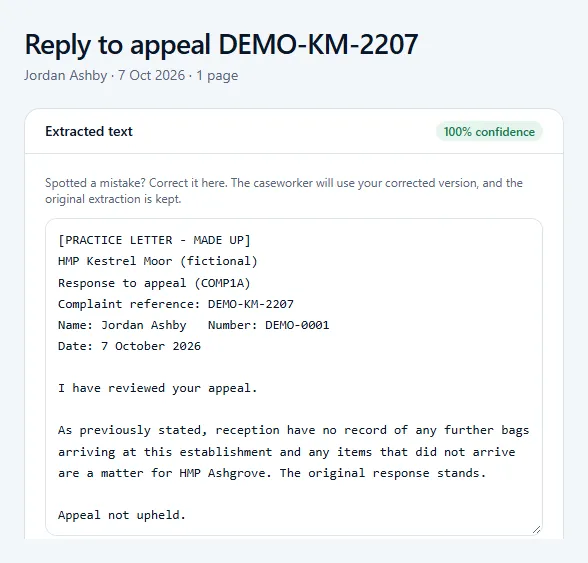
The letter check
PPFCheck checks the appeal reply against the official rules. Each point is labelled as a possible problem or as more information needed, with how sure it is. It only calls something a possible problem when the letter supports it, and never says a rule was definitely broken.
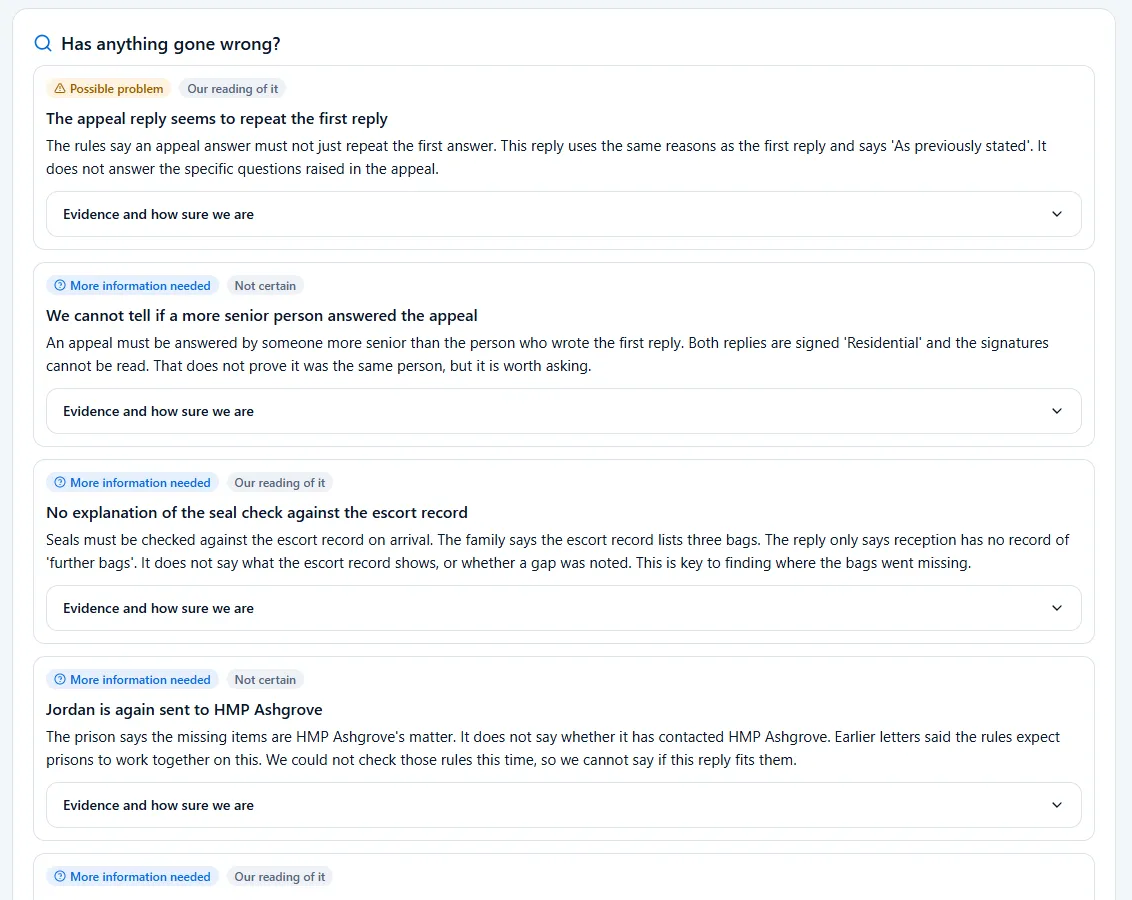
The rules behind it
Every point links to the actual paragraph: an appeal answer must not simply repeat the first one, it must come from someone more senior, and bag seals must be checked against the escort record when a prisoner arrives. The official wording opens underneath each one.
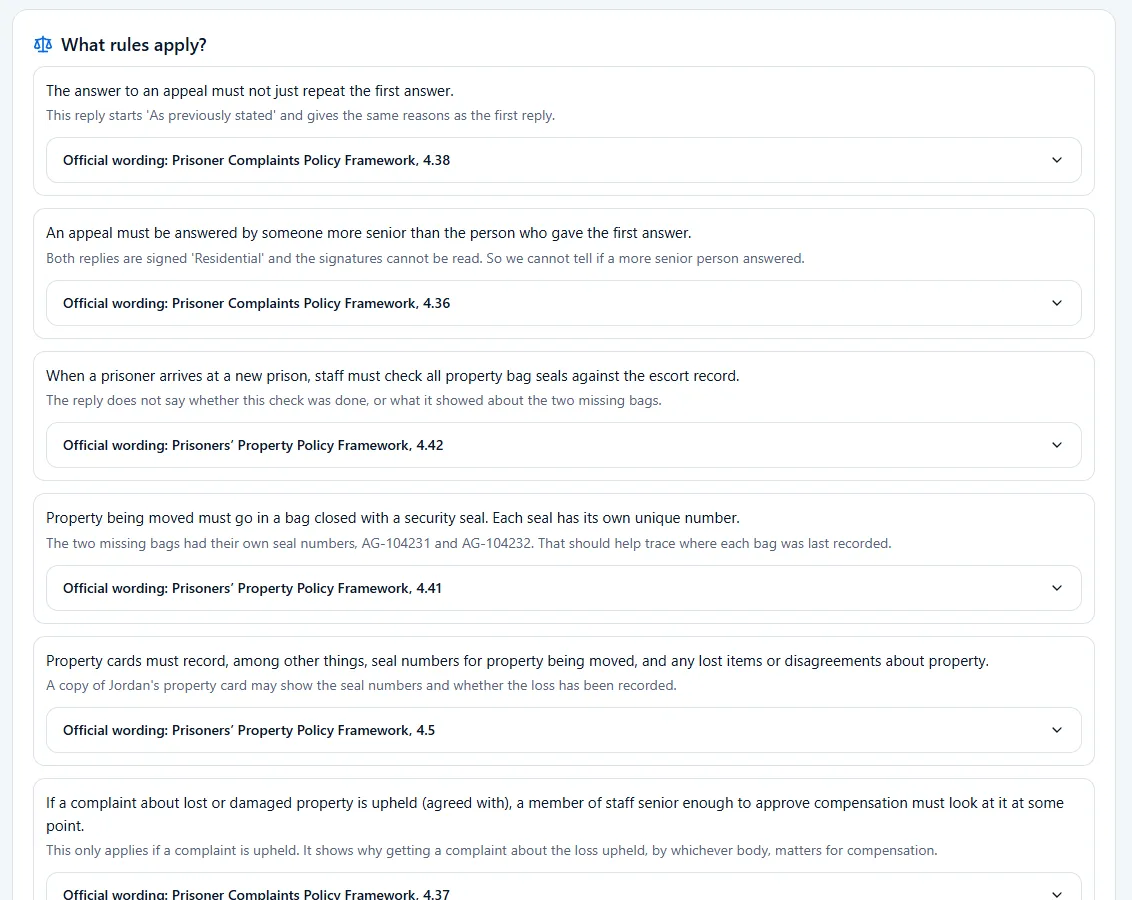
What to do now
Next steps come in order of urgency: check the ombudsman's time limit, ask for the escort record and seal check, and write to the other prison. Each one has a Help me write this button.
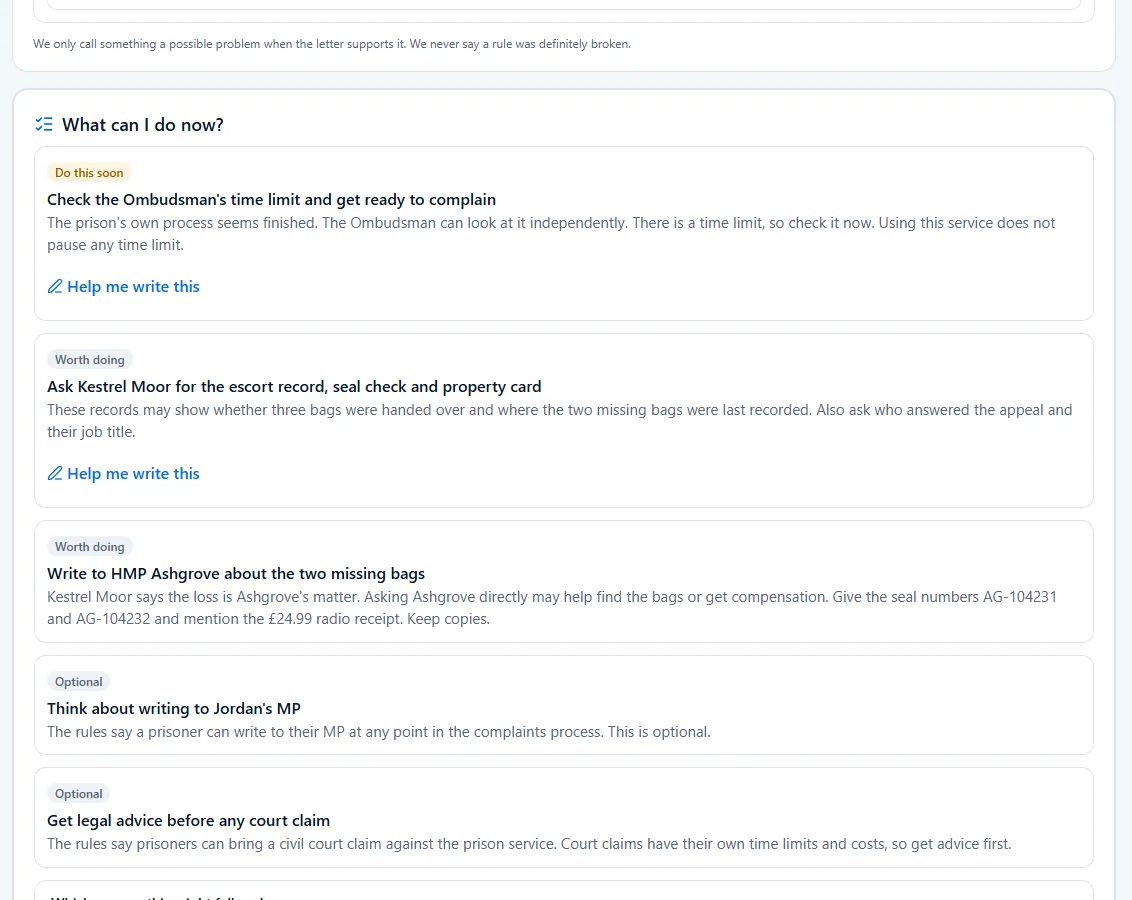
The letter to the ombudsman
With the prison's own process finished, PPFCheck drafts the complaint to the independent Prisons and Probation Ombudsman, with where it goes, who signs it, and what to check before sending.
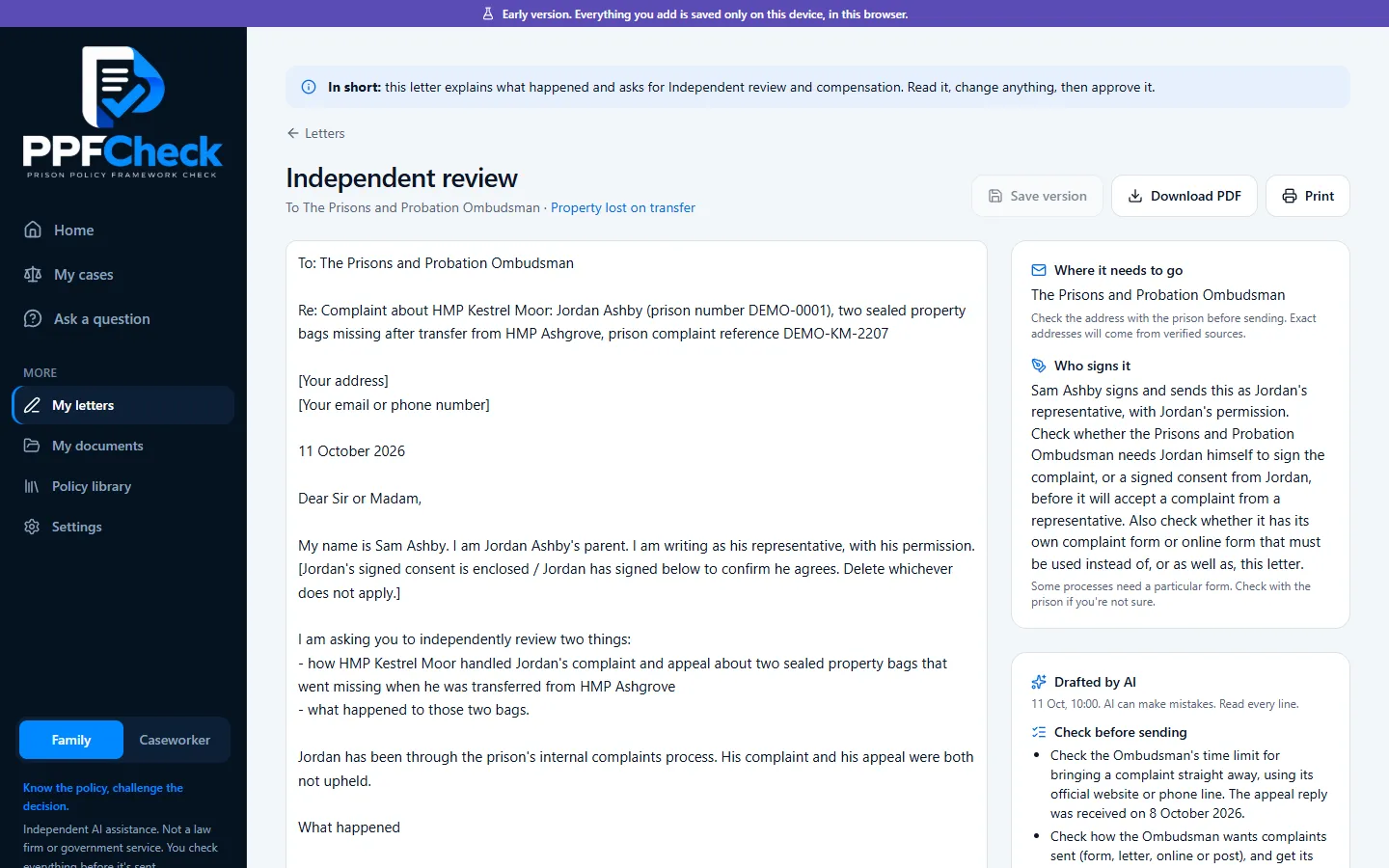
Where it's up to
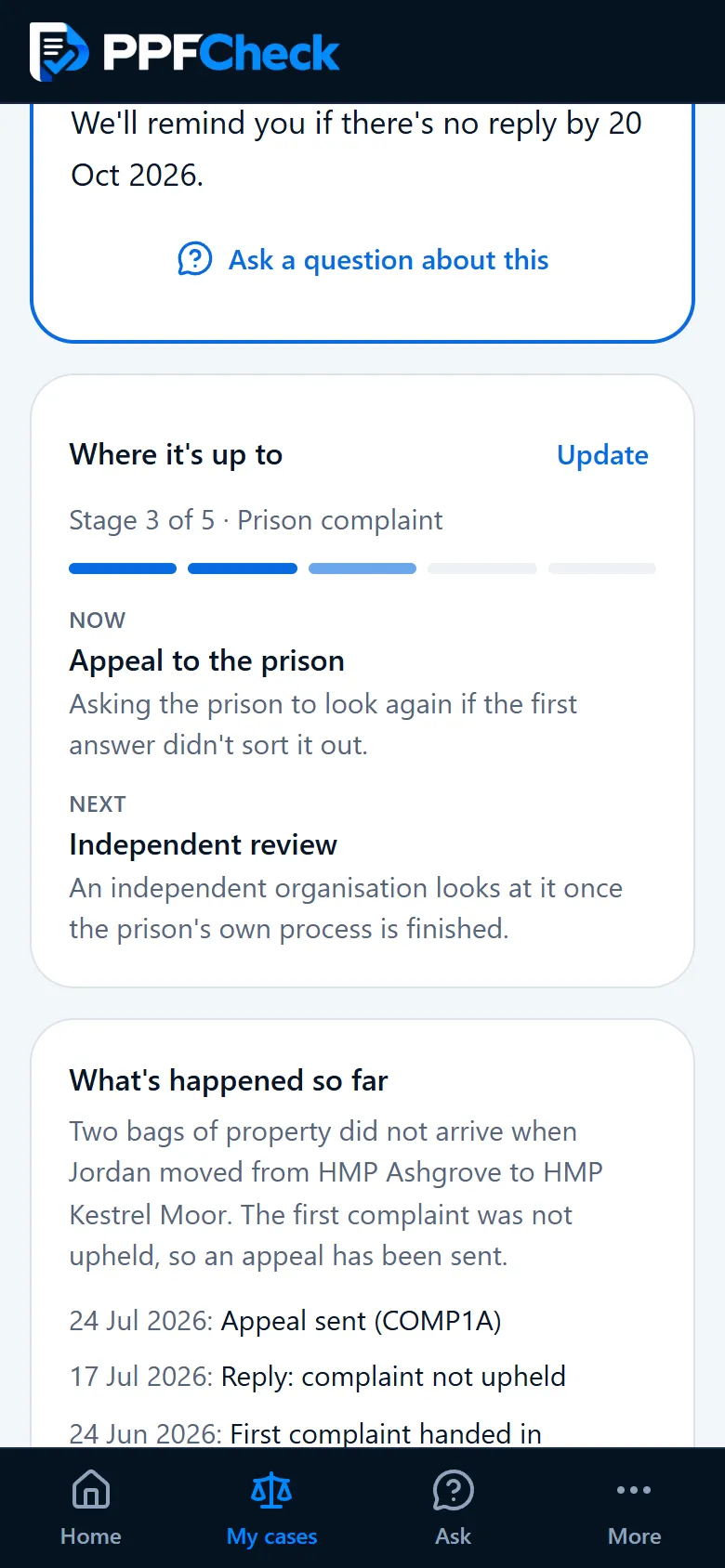
The case moves on to independent review, stage 4 of 5, and its one next step is to send the letter.
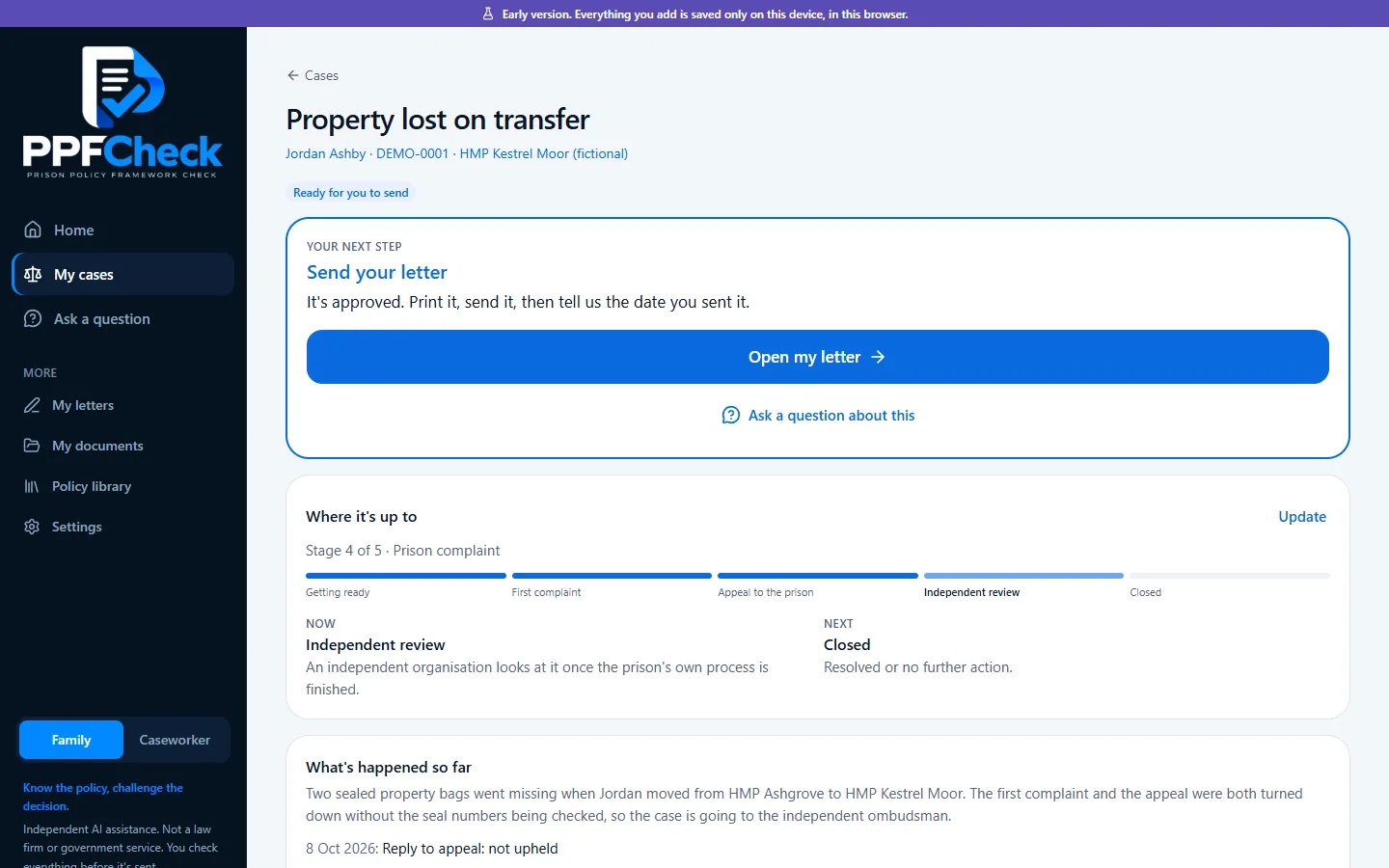
Checking a letter
Nine short steps, one question at a time
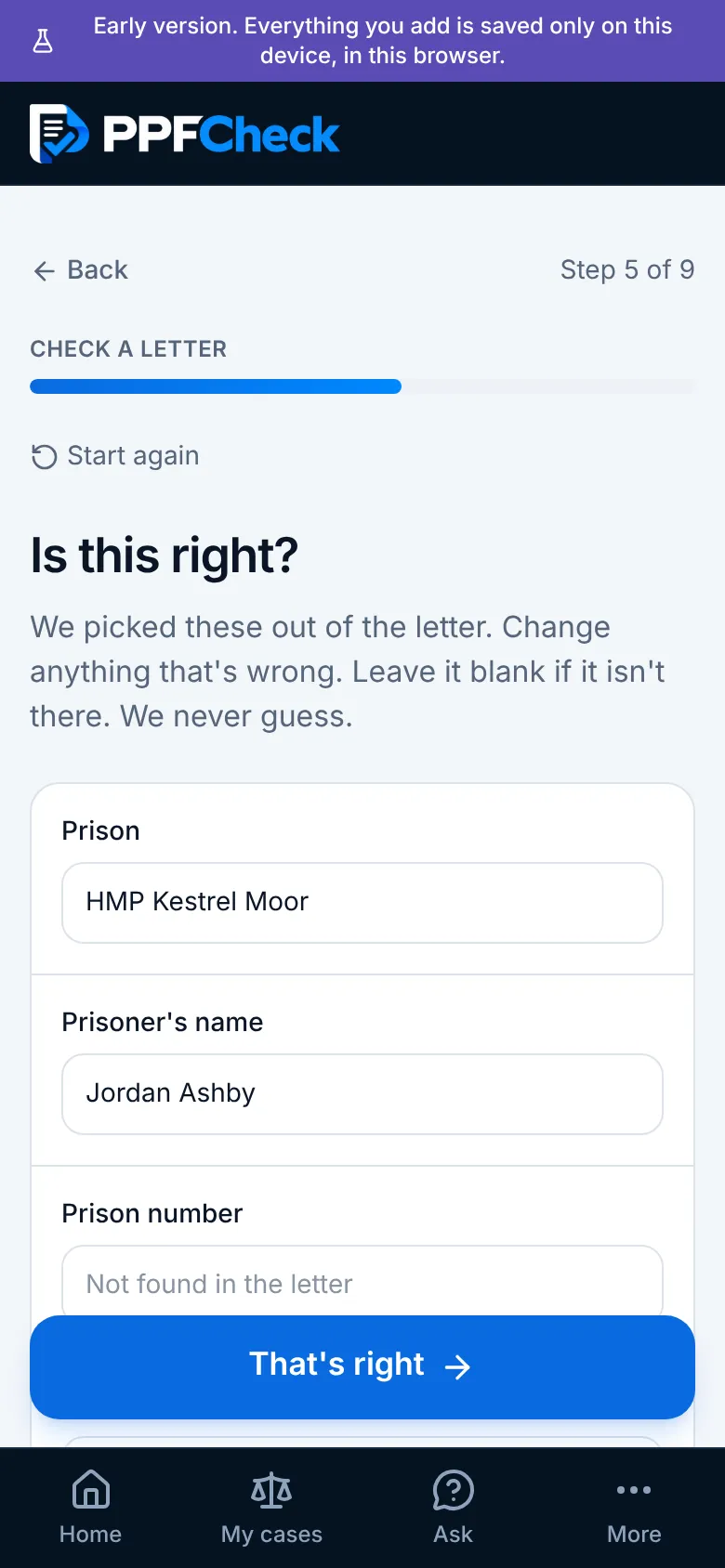
Checking a letter walks through who it's about, which case, adding the pages, checking what was read from them, and what you want to know. Then the AI checks it and explains the result, with possible next steps and an offer to write a reply.
Every point it makes is labelled: something the letter states as fact, something it only claims, the AI's own reading, or uncertain. Quotes that can't be found in the letter are removed, and dates the letter doesn't contain are never shown as deadlines.
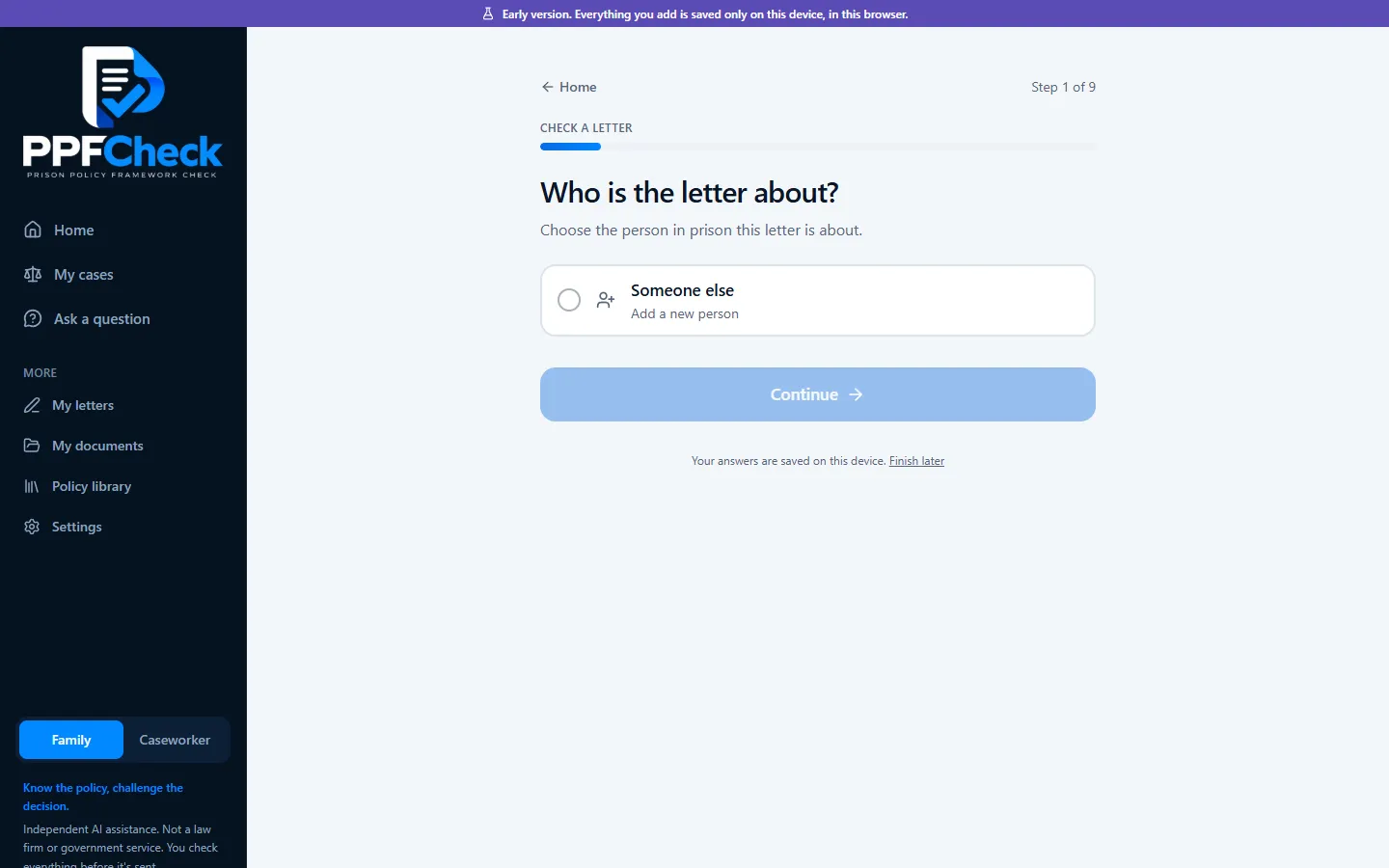
Ask a question
A chat that reads the case first
Anyone can ask in their own words: what "not upheld" means, whether they can complain on someone's behalf, what to do when a prison doesn't reply. Pick a case and the AI reads its timeline, letters and documents before answering.
The app says plainly that it gives information, not legal advice, and points people to a solicitor for court action or urgent deadlines.
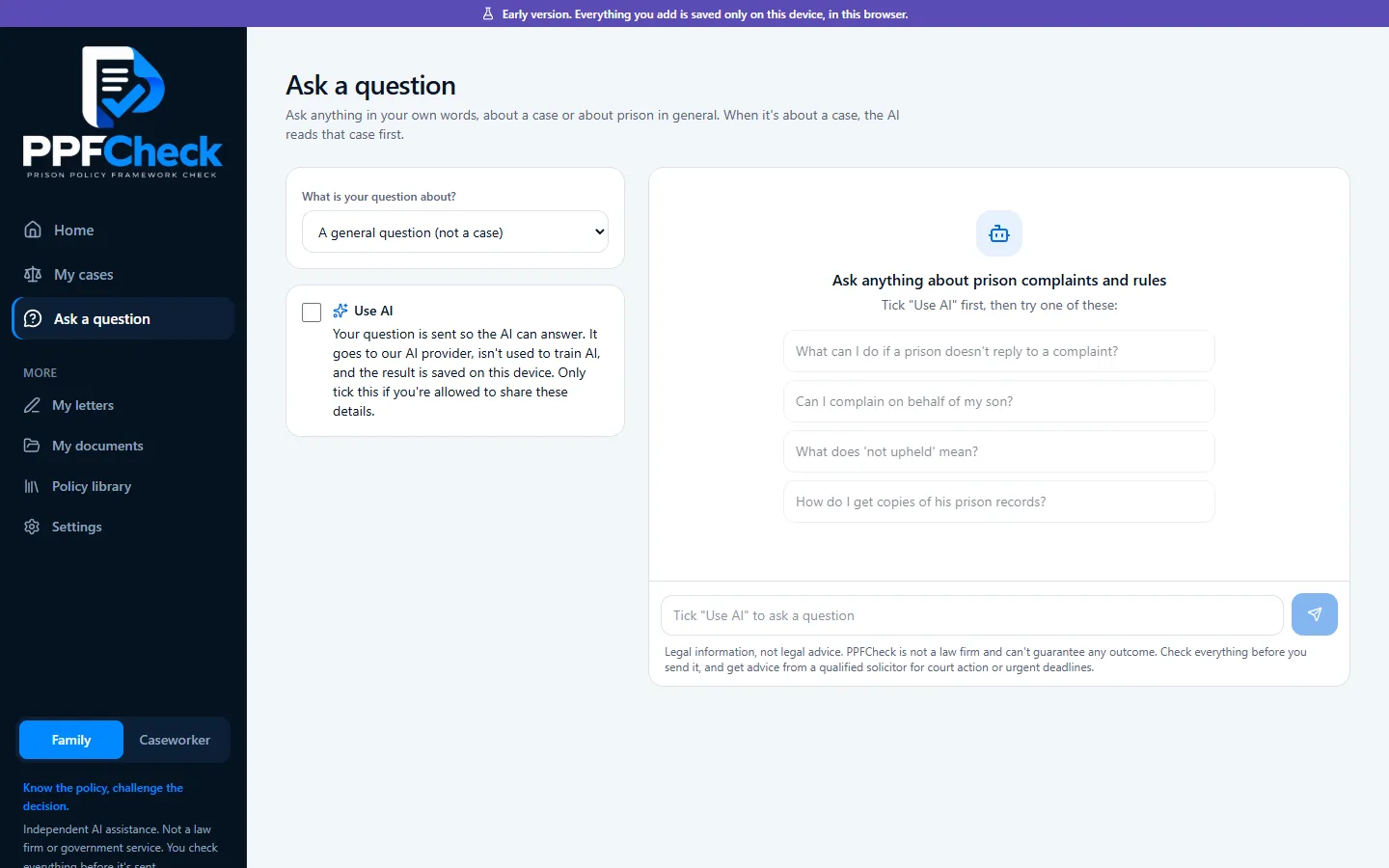
Your cases
Always clear where a case is, and the one thing to do next
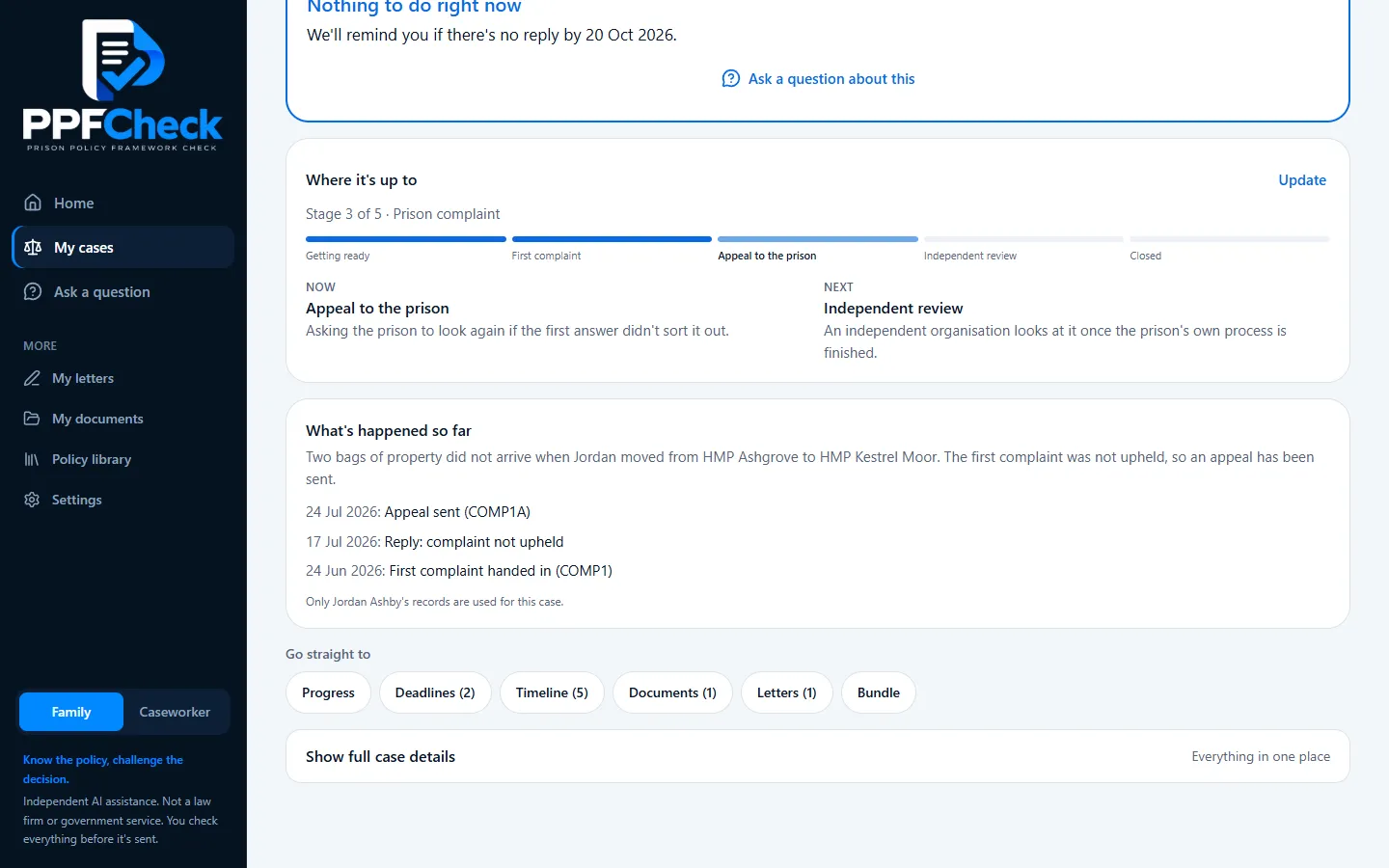
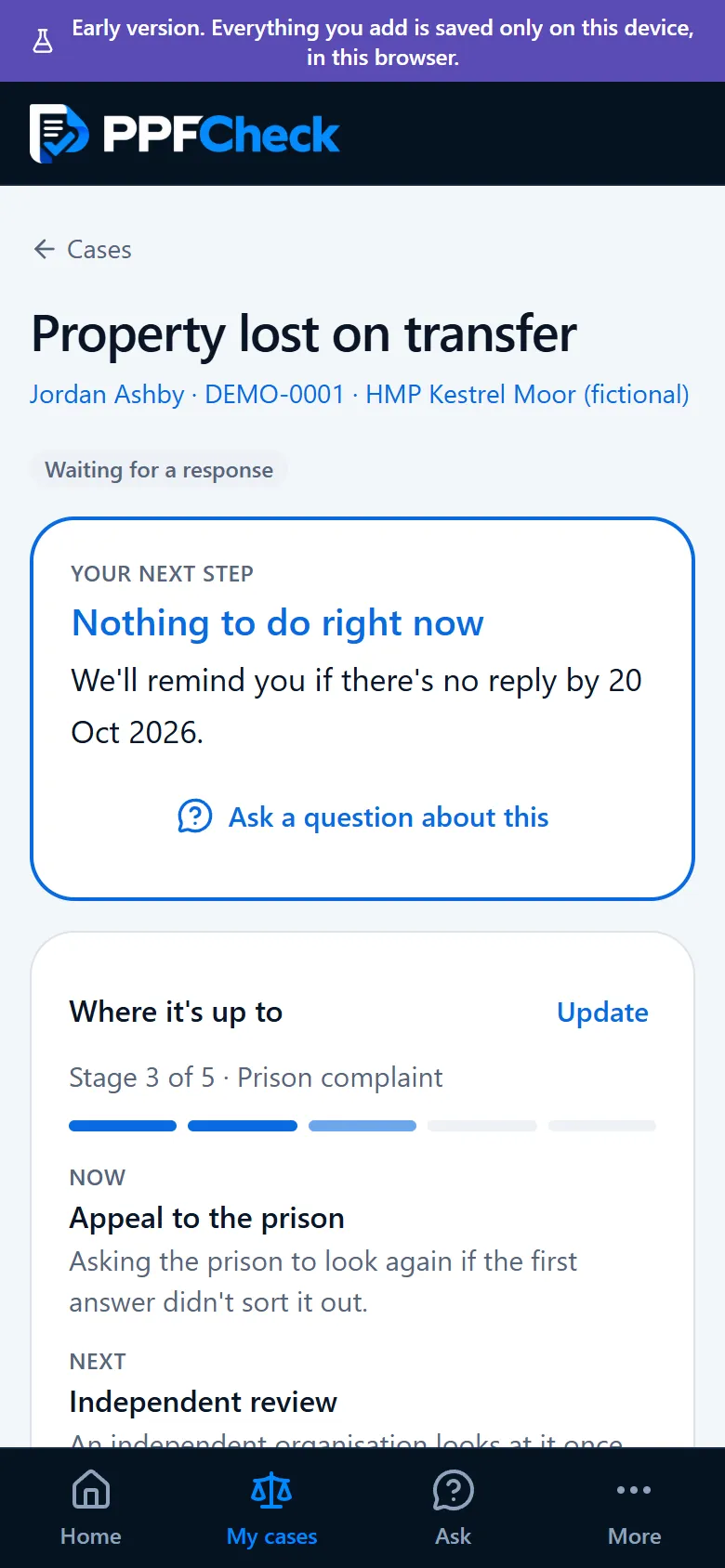
The cases list answers the two questions people actually have: how far along is it, and what do I need to do now? Each case shows a progress bar with its stage, and the one next step.
Here the appeal has been sent, so there's nothing to do except wait, and a reminder is set for the date to chase it.
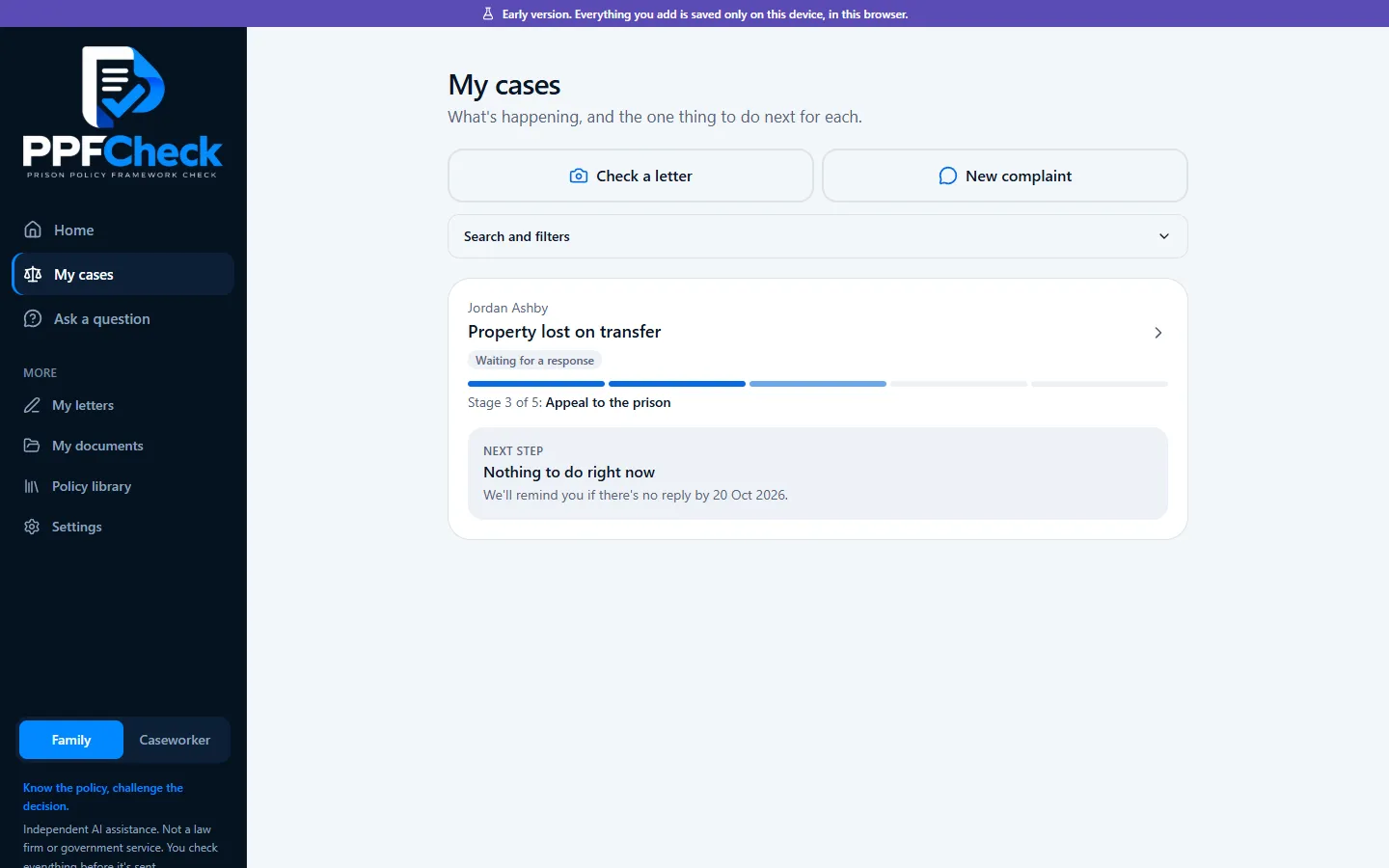
Progress
Each stage of the complaint, from getting ready to closed
Open a case and "Where it's up to" is right there: the route the complaint follows, from getting ready, through the first complaint and the appeal, to an independent review, with the current stage marked and what comes next in plain English.
Shortcuts underneath go straight to the progress controls, deadlines, timeline, documents, letters and a printable bundle. Deadlines show where each date came from: written in the letter, or a reminder set by the person using it.
Handling several cases
Every case on one dashboard
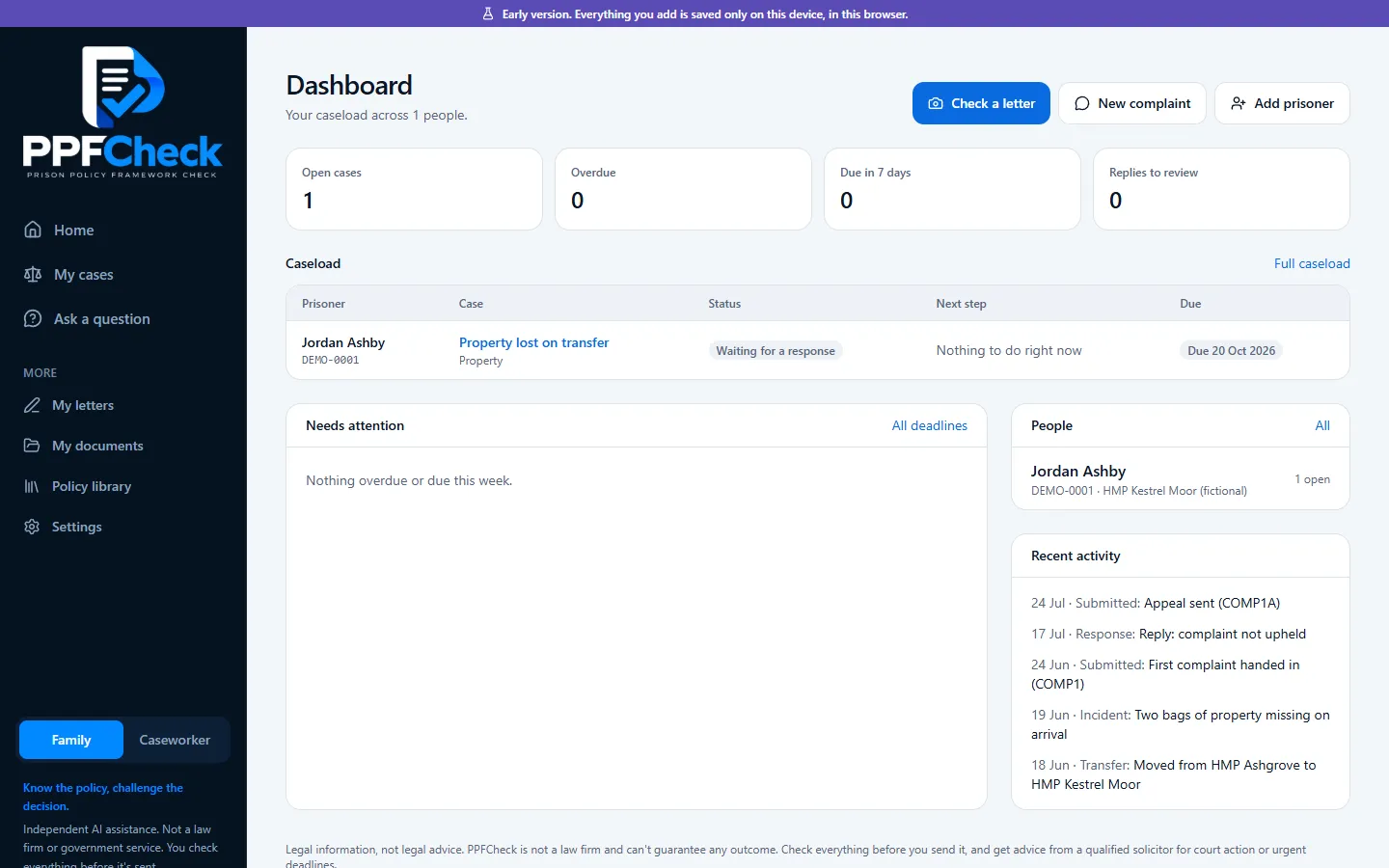
For handling several cases at once, a dashboard covers everyone: open cases, anything overdue or due this week, replies waiting to be reviewed, the caseload with each case's status and next step, and recent activity.
Policy library
The official rules, searchable in everyday words
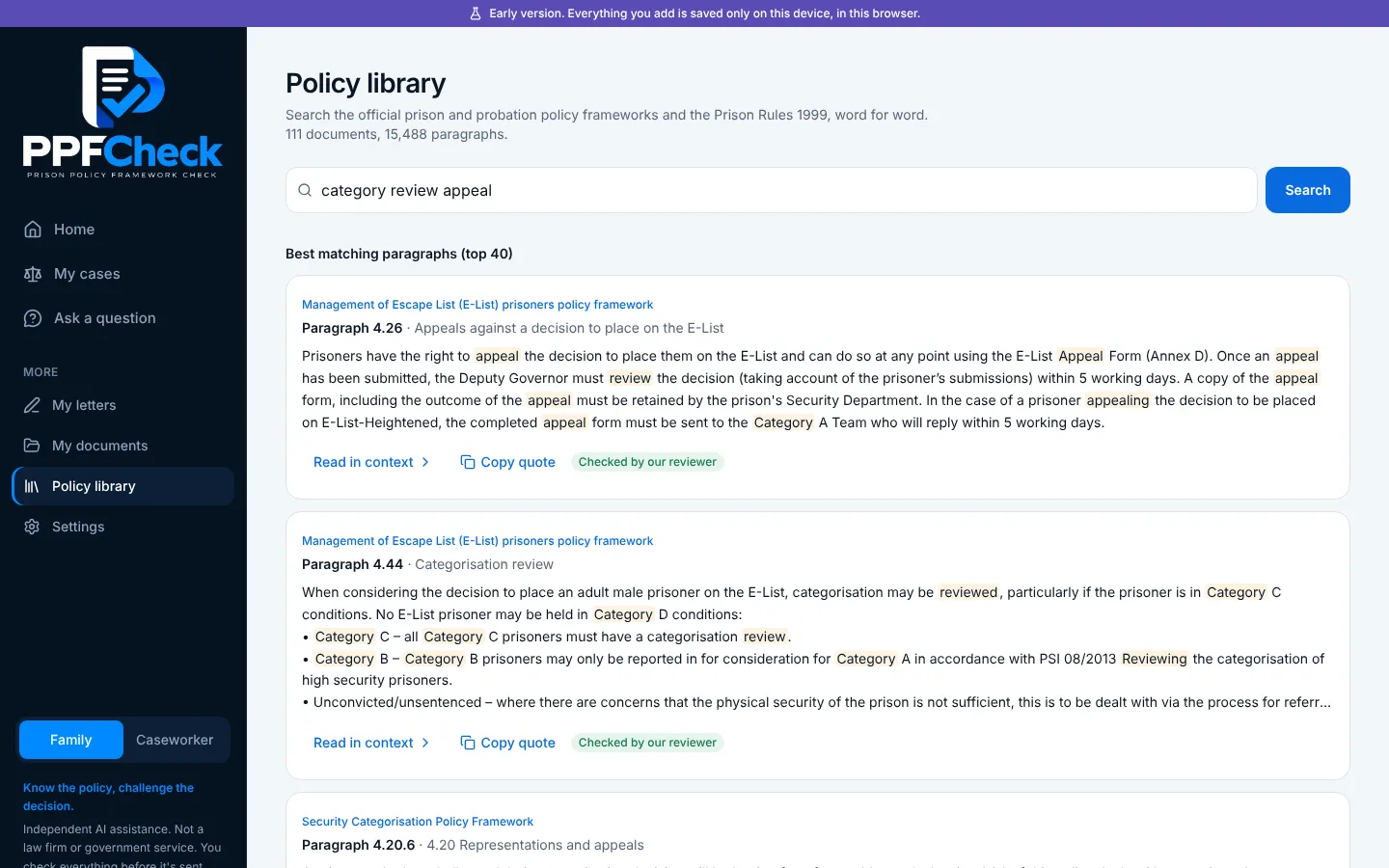
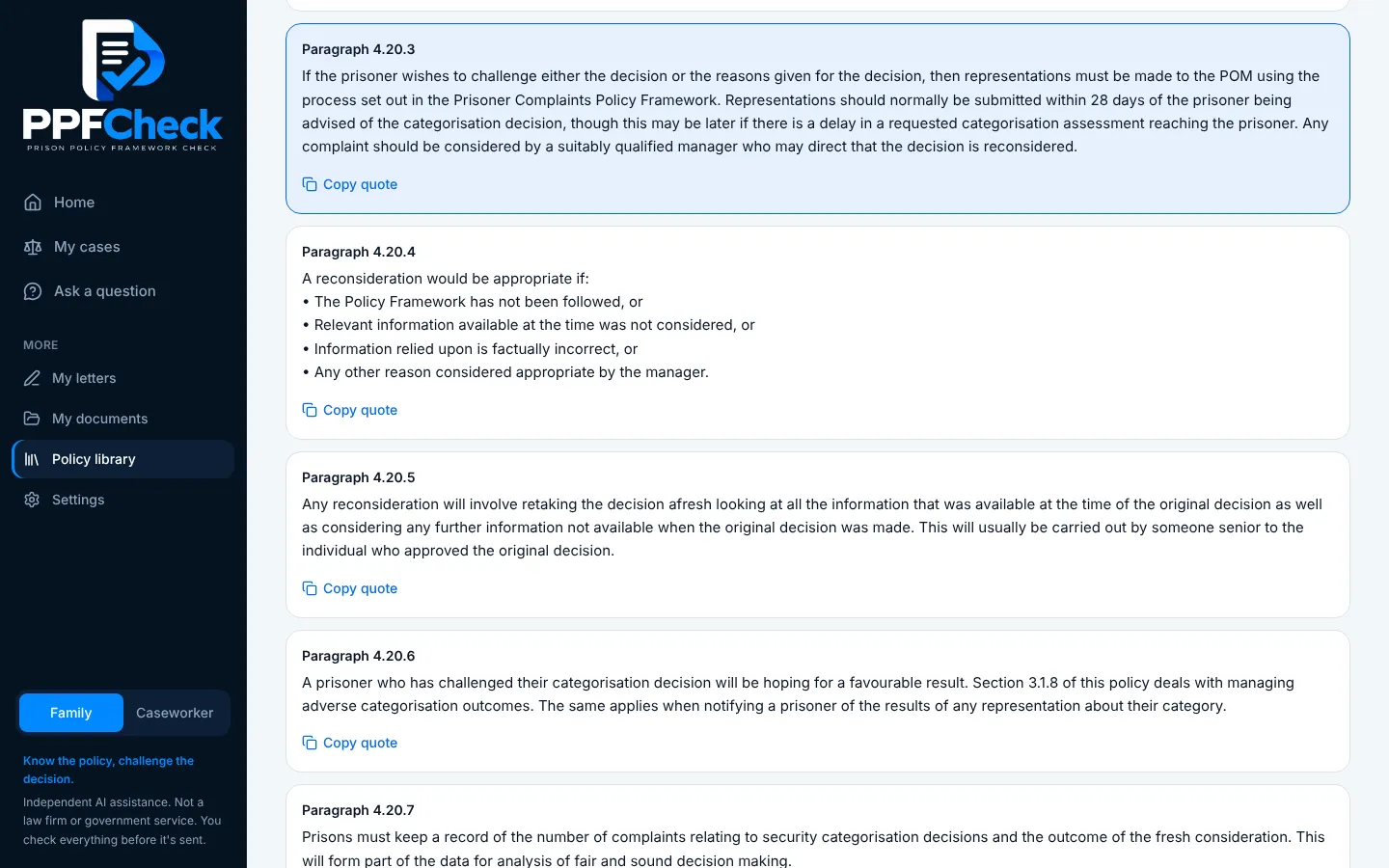
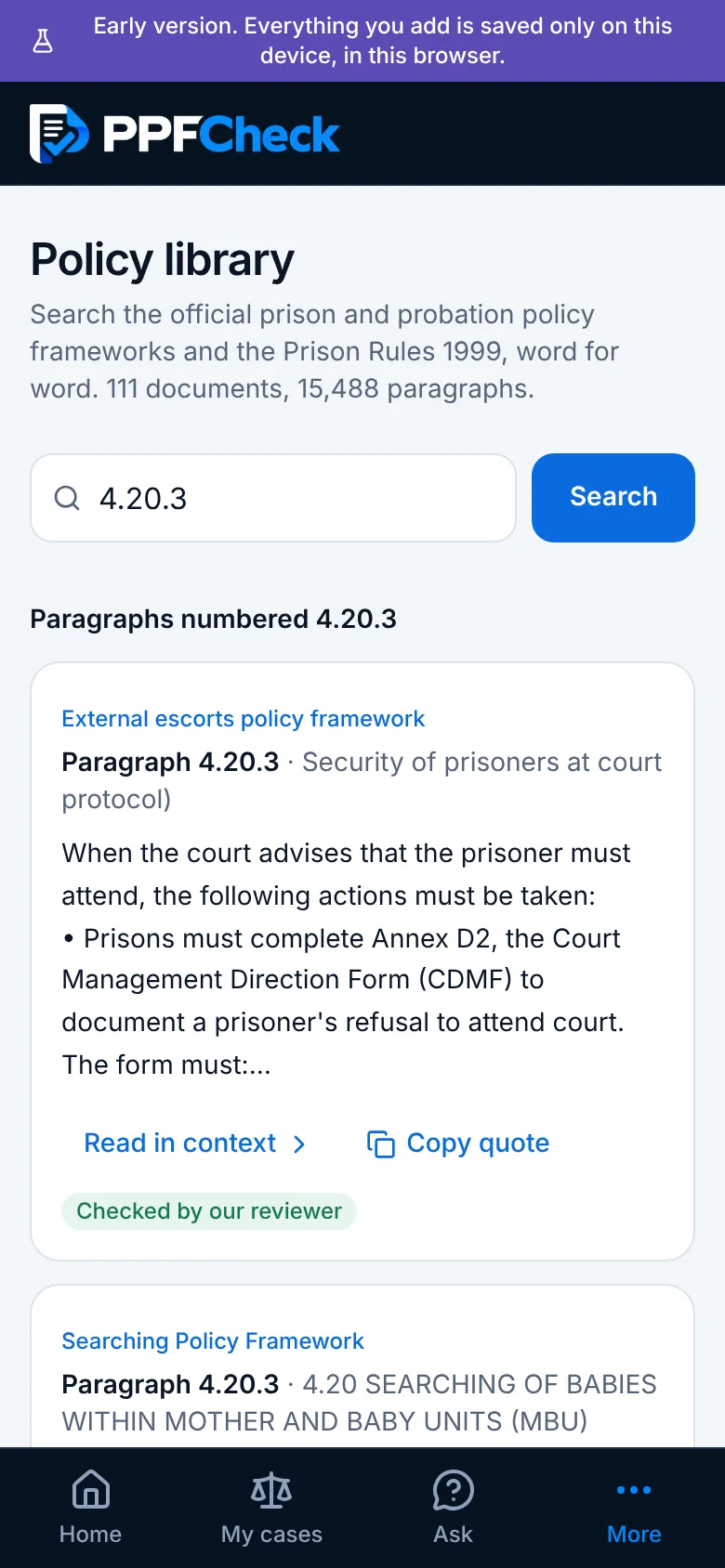
Behind the AI is a library of 111 official documents: the HMPPS policy frameworks and the Prison Rules 1999, stored paragraph by paragraph with a link back to each original publication.
Anyone can search it, AI or not. Every paragraph opens in context, has its own link, and copies as a quote with its citation, ready to drop into a complaint.
On a phone
Built for the phone first
Big buttons, one question per screen, and a tab bar for the main parts. The letter shown here is a made-up practice letter.
Status
An early version, in active development
PPFCheck is being tested and improved before wider use. Work in progress includes accounts and secure storage, and stronger checks on drafted letters. Everything entered is currently saved only on the user's own device.
Try the public test
Open a made-up practice letter and see PPFCheck check it against the official rules. Please use the practice letters or made-up details only, never a real person's letter or details.